How to Get Emergency Alerts: Phone, Weather Radio and Local
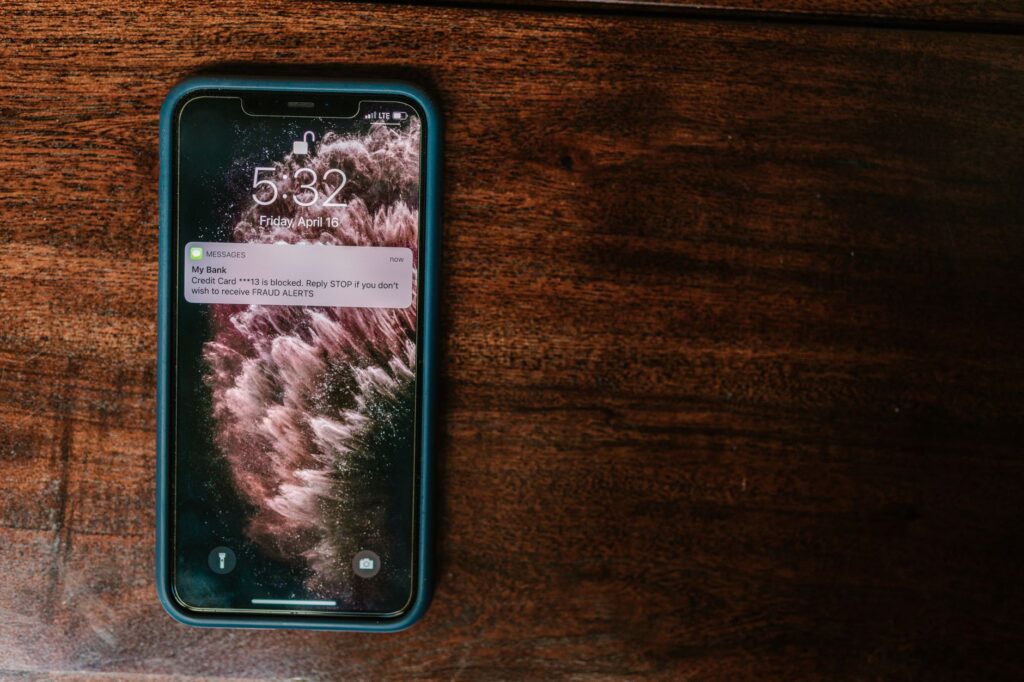
Official emergency alerts reach you through Wireless Emergency Alerts (WEA) on cell phones, NOAA Weather Radio, the Emergency Alert System (EAS) on TV and radio, and opt-in alert systems run by your city or county. According to FEMA, WEA needs no sign-up and costs nothing. Local text and email alerts usually require you to sign up.
No single channel carries every alert. WEA covers only the most urgent warnings, so FEMA recommends confirming your phone can receive WEA, signing up for local alerts and considering a NOAA Weather Radio.
What are Wireless Emergency Alerts?
Wireless Emergency Alerts are short emergency messages sent from cell towers to WEA-capable phones in a targeted area. FEMA runs the program with the Federal Communications Commission (FCC) and wireless providers, and authorized federal, state, local, tribal and territorial alerting authorities send the messages. According to the FEMA Wireless Emergency Alerts page:
- WEAs are free and do not count against texting limits.
- There is no subscription, no app to download and no personal information to give. Alerts are based on location, so you get them away from home too.
- Messages can be up to 360 characters, and senders must also send a 90-character version for older phones.
- WEAs have a unique tone and vibration, each repeated twice.
- Spanish-language WEAs are supported, but an English version must also be sent.
FEMA notes that phones that are off, in airplane mode, connected to a VPN or not connected to a broadcasting cell site may not receive an alert. During a call, the alert is delayed until the call ends, and on some models it may not appear.
What types of Wireless Emergency Alerts are there?
| Alert type | What it covers | Can you turn it off? |
|---|---|---|
| National Alert (older documents say Presidential Alert) | National emergencies; issued by the President or the FEMA Administrator | No |
| Imminent Threat Alert | Current or emerging threats such as extreme weather or active shooters | Yes |
| Public Safety Alert | Less severe threats, or threats that are not imminent or have already occurred | Yes |
| AMBER Alert | Child abductions | Yes |
| Test message | State and local tests of the system; the message says it is a test | The FCC says phones are opted out of state and local tests by default |
The FCC allows people to opt out of Imminent Threat, AMBER and Public Safety alerts, but not National Alerts. It recommends against opting out.
Which weather warnings does the NWS send as WEA?
The National Weather Service (NWS) sends WEA for a set list of warnings only. Per the NWS Wireless Emergency Alerts FAQ, the list is: tsunami, tornado, severe thunderstorm (only when the damage threat is Destructive), flash flood (only when the damage threat is Considerable or Catastrophic), hurricane, typhoon, storm surge, extreme wind, dust storm and snow squall warnings.
Watches, advisories, heat warnings and winter storm warnings are not on that list. For those, check weather.gov, NOAA Weather Radio or our live list of NWS alerts by state, which shows official NWS data in one place and is not an alert service. The NWS also notes that a phone without WEA 3.0 support can get an alert outside the warning area, depending on the range of the cell towers broadcasting it.
How do you check emergency alert settings on iPhone and Android?
On an iPhone, Apple’s support page on government and emergency alerts gives these steps:
- Open the Settings app and tap Notifications.
- Scroll to the bottom of the screen.
- Under Government Alerts, turn each type of alert on or off.
Apple says some government alerts cannot be turned off. In the United States, Test Alerts are off by default and need iOS 15.4 or later to switch on in Settings. Apple also offers Enhanced Safety Alerts, delivered by Apple and sounding different from government alerts, in the United States and Taiwan on iOS 26.2 or later; they are under Settings, Notifications, Enhanced Alerts.
On an Android phone, Google’s Android Help lists this path:
- Open the Settings app.
- Tap Notifications, then Wireless emergency alerts.
- Choose which alert types to receive and how often, and set sound and vibration. The same screen shows past alerts.
Monthly test alerts are switched in Developer options, which Google says you turn on by tapping Build number seven times under About phone. Google warns that other settings on your phone could change when Developer options is on. Phone makers can label these menus differently, so check your manufacturer’s help pages if the path does not match. If alerts still do not arrive, Ready.gov suggests checking your phone settings and user manual and contacting your wireless provider.
What is NOAA Weather Radio?
NOAA Weather Radio All Hazards is an NWS radio network that broadcasts official warnings, watches, forecasts and other hazard information 24 hours a day, 7 days a week. According to the NWS Weather Radio page, it has more than 1,000 transmitters covering all 50 states, adjacent coastal waters, Puerto Rico, the U.S. Virgin Islands and the U.S. Pacific Territories. It uses seven frequencies from 162.400 to 162.550 MHz, so it needs a special receiver or scanner.
Weather Radio also carries non-weather alerts, including earthquakes, avalanches, chemical releases, oil spills, AMBER Alerts and 911 outages. FEMA advises looking for the Public Alert or NWR logo on a receiver. Receivers labeled SAME (Specific Area Message Encoding) let you select alerts for specific areas. The NWS Station Search page lists the transmitter for your county.
How do you sign up for local emergency alerts?
Many cities and counties run opt-in alert systems, which means you must sign up to get them. FEMA’s Know Your Alerts and Warnings fact sheet says that once you sign up, local officials can send you text or email messages about local emergencies, and most systems let you choose devices and alert types. It adds that your mobile carrier may charge small fees for text messages.
- Search online for your town, city or county name plus the word alerts.
- Check the website of your local emergency management or public safety office, or call that office.
- Ask whether your area uses an enhanced telephone notification system, such as Reverse 911. FEMA says most include landlines, and some let you add VoIP and mobile numbers.
- Sign up for alerts from your workplace, schools and other organizations you want to hear from in an emergency, as FEMA suggests.
FEMA notes that outdoor sirens are meant for people outdoors and are not designed to be heard inside buildings, and that some communities keep sirens that no longer work. Your local emergency management office can confirm what is in service.
What other official channels carry alerts?
The Emergency Alert System sends alerts through broadcast TV and radio, satellite and cable. Ready.gov says the EAS lets the President address the nation within 10 minutes during a national emergency, and other authorized agencies use it for weather, imminent threats, AMBER Alerts and local incidents. The FEMA App sends real-time weather and emergency alerts from the NWS for up to five locations and can help you find a nearby shelter. FEMA’s Integrated Public Alert and Warning System (IPAWS) lets officials send WEA, EAS and other messages, such as sirens and digital billboards, at the same time.
Bottom line
Wireless Emergency Alerts arrive free and without sign-up, but only for the most urgent warnings. Check your phone settings, sign up for your county’s alerts and consider a NOAA Weather Radio with SAME for watches and other alerts that never reach phones. For what the alerts mean, see our guides to watches, warnings and advisories and tornado watches and warnings. Earthquake and tsunami alerts work differently: see ShakeAlert earthquake early warning and tsunami alerts explained.
FAQ
Do I need to sign up for emergency alerts on my phone?
No. FEMA says Wireless Emergency Alerts need no sign-up, no app and no personal information, and they are free. Local text and email alerts from your city or county usually do require signing up.
Can I turn off emergency alerts?
You can turn off Imminent Threat, Public Safety and AMBER alerts in your phone settings, according to the FCC. National Alerts cannot be turned off. The FCC recommends against opting out.
Why did I get an alert for an area I am not in?
WEA messages are broadcast from cell towers in and sometimes around the warning area. The NWS says phones without WEA 3.0 support can receive an alert outside the warning area, depending on the range of the towers broadcasting it.
Do Wireless Emergency Alerts include weather watches?
No. The NWS sends WEA only for certain warnings, such as tornado, hurricane and tsunami warnings. Watches and advisories appear on weather.gov and NOAA Weather Radio instead.